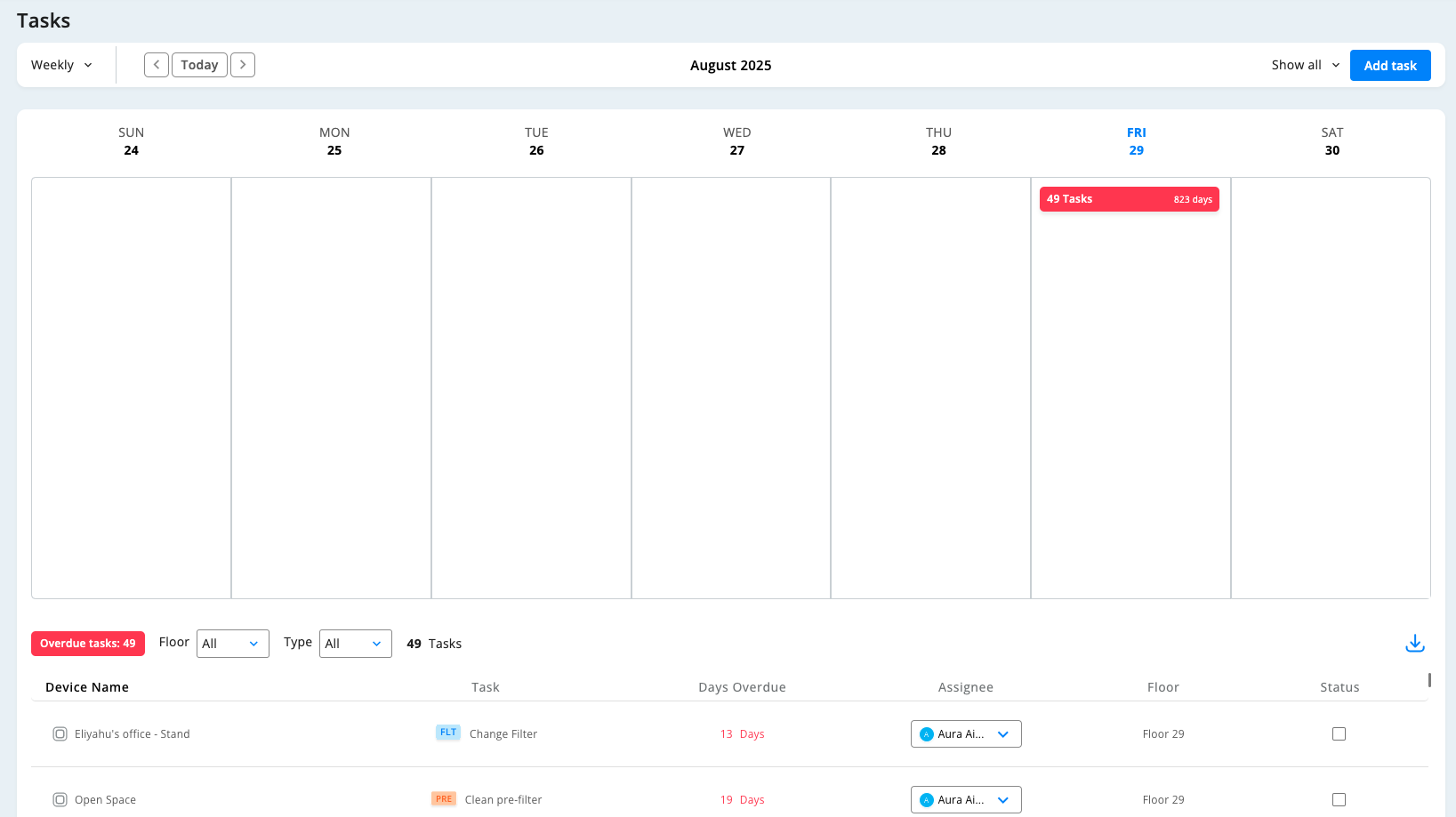
The Tasks page displays all your air quality-related tasks in a weekly or monthly calendar format. This central hub helps you organize maintenance schedules, track assignments, and coordinate your team's work across all devices.
Calendar Navigation
- View Options: Switch between Weekly and Monthly views using the dropdown
- Date Controls: Navigate with arrow buttons or click "Today" to return to current period
- Task Counter: Red indicator shows total overdue tasks and days
Creating New Tasks
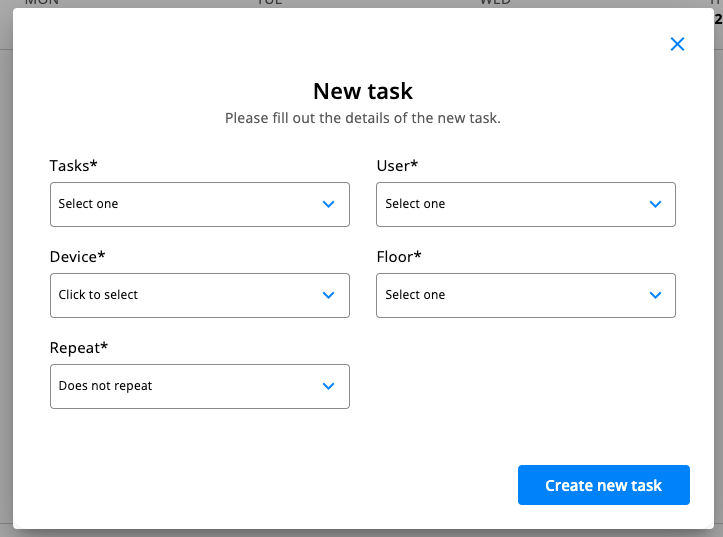
Click "Add task" and select from available task types:
- Clean pre-filter: Schedule regular filter cleaning
- Change WiFi network: Update device connectivity
- Check stock of filters: Inventory management tasks
- Order new filter: Procurement reminders
- Add a custom task: Create specialized assignments
Then complete these fields:
- User: Assign to specific team member
- Device: Choose which device needs attention
- Floor: Specify location for easy navigation
- Repeat: Set one-time or recurring schedule
Overdue Tasks Management When tasks are overdue, click the red "Overdue tasks" indicator to view:
- Task Details: Device name, task type, days overdue, assignee, and floor
- Filtering: Filter by floor or task type using dropdown menus
- Priority Indicators: Red text shows how many days overdue
- Color Coding: Task types have color indicators (FLT for filters, PRE for pre-filters)
- Completion Tracking: Use checkboxes to mark tasks as complete
Best Practices
- Assign tasks to specific users for accountability
- Check overdue tasks regularly and prioritize by urgency
- Use filtering to focus on specific areas or task types
- Set up recurring tasks for regular maintenance like filter cleaning
- Create custom tasks for specialized maintenance needs
This system ensures all maintenance is tracked and completed on schedule.
Was this article helpful?
That’s Great!
Thank you for your feedback
Sorry! We couldn't be helpful
Thank you for your feedback
Feedback sent
We appreciate your effort and will try to fix the article