The Rules feature has been enhanced to help your team proactively manage indoor air quality. When parameters exceed your defined ranges, you'll receive immediate visual alerts and detailed information about which rules have been triggered.
Alert Notification System
Visual Alert Indicator
When any parameter goes outside your defined rule range, a red dot appears over the Alert button located in the upper right corner of the screen.
Accessing Triggered Rules
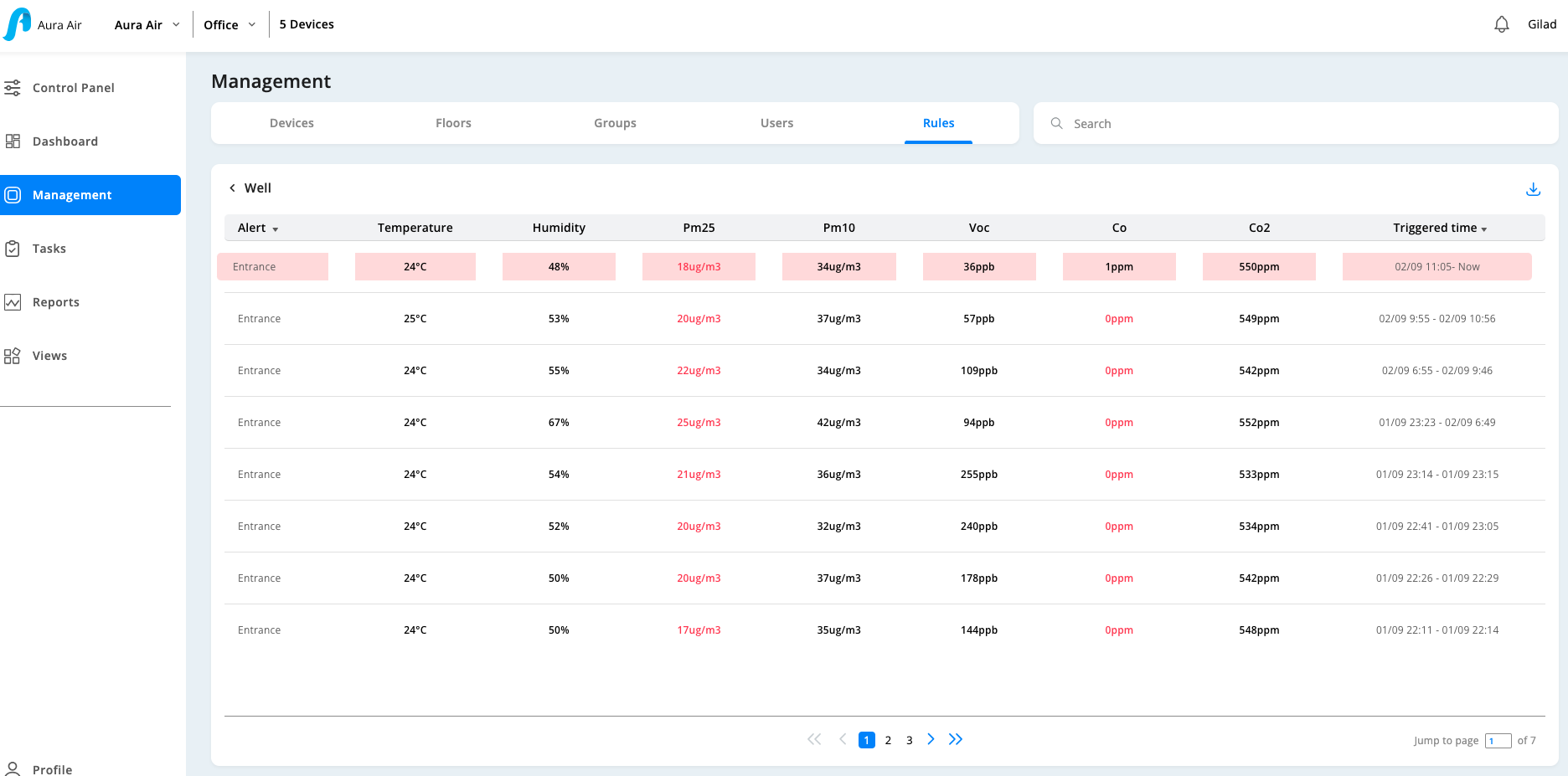
Click the Alert button to be redirected to the triggered rule page, which shows exactly which rules went outside your defined ranges.
Triggered Rule Page Details
Rule Information Display
- Active Violations: See all rules currently outside your set margins
- Interactive Rules: Click on any rule to view detailed parameter information
- Parameter Details: View Minimum, Maximum, and current "Now" levels for each parameter
- Real-time Status: Understand exactly how far outside normal ranges your parameters are
Triggered Date Column
- Time Tracking: Shows exactly when each rule went outside your defined margins
- Duration Information: Displays if violations occurred during specific time periods (e.g., 10am-11am)
- Current Status: Indicates if parameters are currently outside acceptable ranges
Alert Delivery Methods
You can receive rules alerts through multiple channels:
- Email Notifications: Direct alerts sent to your registered email
- Running Reports: Automated reporting of rule violations
- Alert Button: Visual indicator with immediate access to details
- Rules Module: Direct access through the main Rules section
Email Alert Features
- Direct Access: Email alerts redirect you directly to the triggered rule page
- Specific Information: Shows exactly which parameter exceeded your defined range
- Immediate Action: Allows for quick response to air quality issues
Benefits
- Proactive Management: Address air quality issues before they become problems
- Detailed Insights: Understand exactly what parameters need attention
- Multiple Access Points: Choose how you want to receive and review alerts
- Historical Tracking: See when and how often rules are triggered
This enhanced rules system ensures you stay informed about your indoor air quality status and can take immediate action when needed.
Was this article helpful?
That’s Great!
Thank you for your feedback
Sorry! We couldn't be helpful
Thank you for your feedback
Feedback sent
We appreciate your effort and will try to fix the article