Device Card Layout
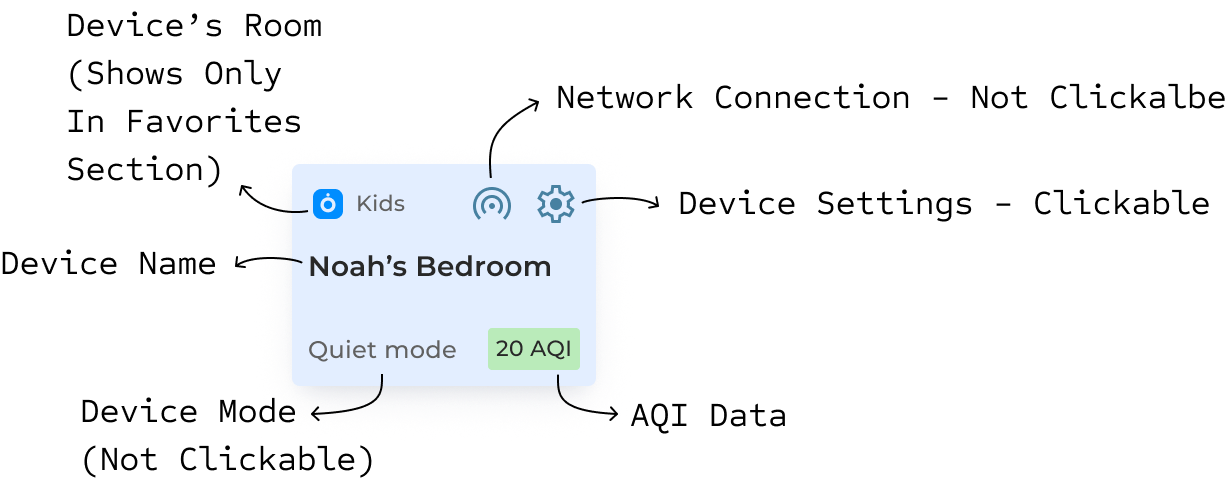
Each device shows:
- Device Name: Custom name you set
- Room Tag: Shows room type for favorites
- Current Mode: Operating mode (display only)
- AQI Number: Real-time air quality reading
- WiFi Icon: Connection status (display only)
- Settings Gear: Tap to change device settings
Device Status Types
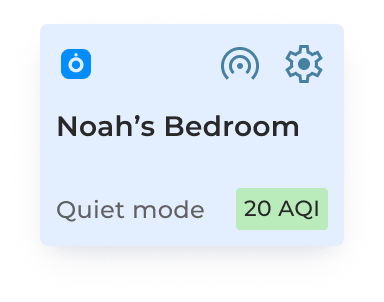
- Connected: Blue icon, shows live AQI and current mode
- Turned Off: Gray icon, shows "N/A" for AQI
- Disconnected: Red icon, shows "N/A" - check WiFi connection
- Favorite: Has room tag, appears at top of device list
What You Can Do
- Tap gear icon: Change settings, modes, or share device
- View AQI colors: Green = good, yellow = moderate, red = poor air quality
What's Display Only
- Device mode shown on card
- WiFi connection status
- AQI reading
Was this article helpful?
That’s Great!
Thank you for your feedback
Sorry! We couldn't be helpful
Thank you for your feedback
Feedback sent
We appreciate your effort and will try to fix the article